Three Christmas ski trails
A Santa ski game.
Race Holly to the finish.
Trade the sleigh for skis and race computer-controlled Holly down a snowy trail. Collect your own gift boxes, steer around obstacles and reach the finish first with enough gifts to qualify. It is an optional race inside Santa Game Online, a free 3D Santa game.
Opens the single-player race at the start line. Click Start race for the three-second countdown.
There are two ski modes: single-player against computer-controlled Holly, and local two-player split-screen racing on one keyboard. There is no online multiplayer or leaderboard.
Level 03 · In-game panorama
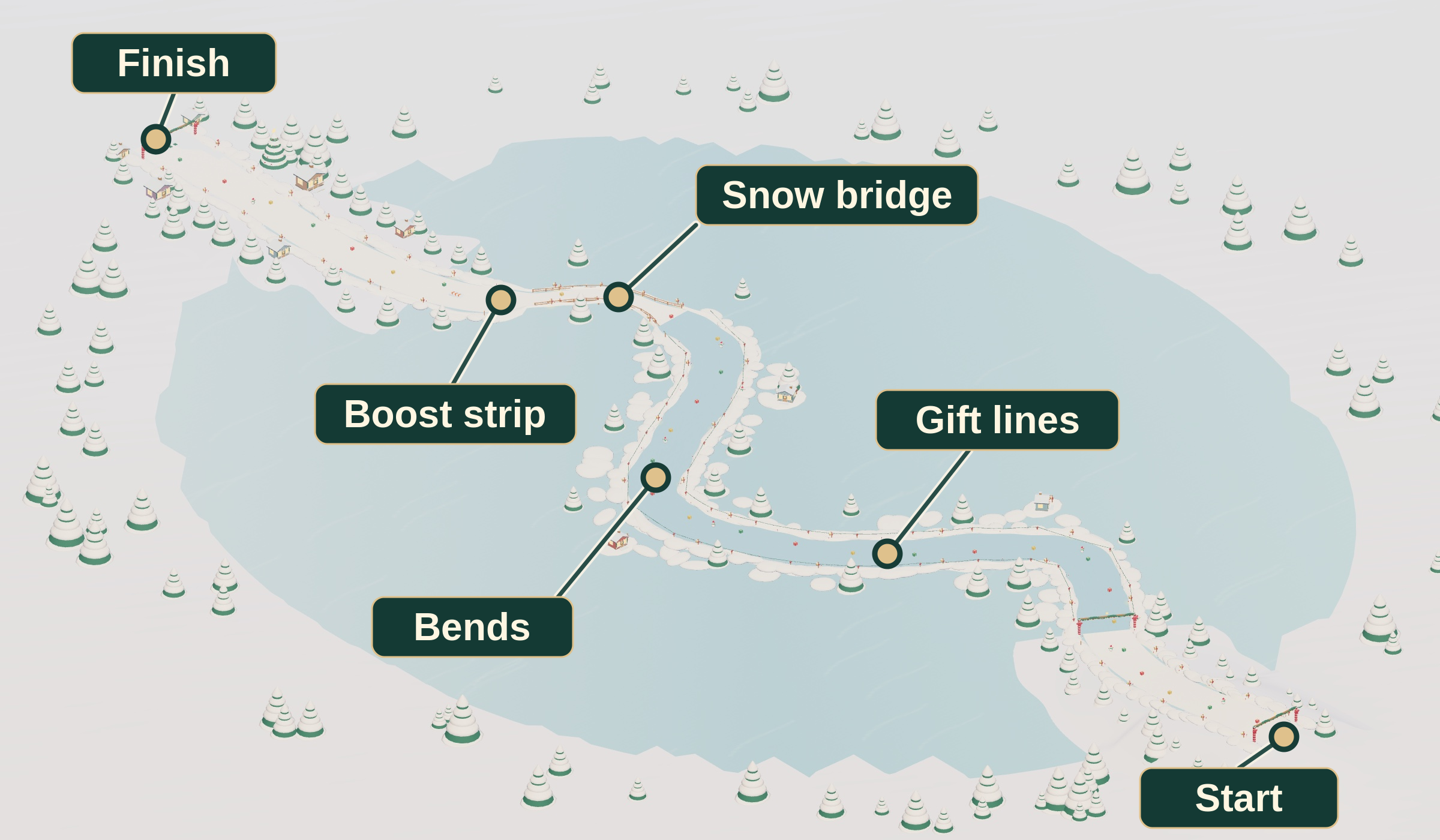
Starlight Lake
Play right here
Play the ski race here
Play the ski race opens a single-player race against Holly on its own page, with both racers waiting at the start line. Choose Play on this page to use the same race mode inside this guide. Click Start race when you are ready for the three-second countdown.
Stay on this ski guide and load the race when you are ready; the 3D world will not download before you choose to play. The full Santa Game Online game also includes the snowy town, Santa’s warehouse and the sleigh delivery route. The play buttons here take you straight to skiing, so you can begin without packing the five town gifts first.
Click Start race inside the game to begin the countdown and allow the original game music to play. The music toggle lets you turn it off or on. Once the countdown ends, use W to accelerate, A and D to steer, and S or Space to brake. In single-player, the arrow keys also control Santa; Holly handles her own movement.
Watch your own gift counter as you descend. Lantern Run requires 12 gifts; Aurora Canyon requires 18. The first racer to finish with enough gifts wins those races. In the third course, Starlight Lake, collect at least 24 of 32 gifts and reach Christmas Village to pass. Holly finishing first does not end your attempt; beat her for gold. Gifts count separately for Santa and Holly, so a box collected by one racer does not take away the other’s corresponding gift. Reaching the finish without the required count does not qualify you to win.
Use Pause before reading this guide, or Expand game for a larger view. Pause stops the race clock and both skiers, including any remaining countdown. When you resume, click inside the game to restore keyboard focus. For a human opponent, open the two-player race guide: Santa uses WASD and Holly uses the arrow keys on the same keyboard.
Desktop keyboard and mouse recommended. Touch controls are also available.
Your opponentHolly, controlled by the game.
Your gift goal12, then 18, then 24.
Your raceQualify, then finish first.
From town to mountainside
How to start the ski race
The main play button takes you directly to the single-player start line. Click Start race to begin the countdown. You do not need a separate game or account. If you are already playing town deliveries, open Ski trail and choose a race from the menu.
Open the Ski trail menu
Open the Santa game and choose Ski trail to see both race modes. You can do this between deliveries.
Choose a race and start
Choose Single-player race · Vs Holly, or choose Two-player race · Same keyboard to race a friend beside you. Either choice takes you straight to the start line. Click Start race to begin the three-second countdown.
Collect gifts and race
After the countdown, press W to push off and A / D to steer. Brake with S or Space before a bend. Ski through gift boxes to collect them, meet the course target and cross the finish before Holly.
Separate clocks, separate gifts. Your town delivery clock pauses while you are skiing, and the race records its own elapsed time. Race gifts count toward your ski target; they do not complete the five household wishes in Snowbell Hollow.
Meet your opponent
Holly has her eye
on the finish.
Holly is a computer-controlled racer in single-player. She follows the course, collects her own gifts and aims for the same finish as Santa. You each need the course’s gift target to qualify. Watch your route and gift count as well as her position: reaching the line first is useful only when you have enough gifts.
For a race against a friend beside you, choose the local two-player ski race: share one keyboard and use the split-screen views. Your friend controls Holly with the arrow keys while you control Santa with WASD. There is no online multiplayer, matchmaking or leaderboard.
Still counting the days until Christmas? Check how many days until Christmas before your next run.
The trail winds between snowy pines and lanterns. Keep to the marked snow and steer early for a bend. Snowmen and trees can interrupt a fast run, while ramps and boost strips offer chances to build speed. Line up with the gift boxes ahead before accelerating, especially when your counter is still below the target.
Find your rhythm
Simple ski controls
Start with a controlled push. Learn how steering and braking feel before building speed through the bends.
- W
- Push off and build speed.
- AD
- Steer left and right through the bends.
- SorSpace
- Brake before bends or obstacles.
- Gift boxes
- Ski through your gifts to collect them automatically.
- On-screen menu
- Pause your race or return to town. Use the results panel to race again.
Three parts of a winning run
Collect, qualify,
cross the line.
Lantern Run · 12 gifts
Build your gift count through the first course. The first racer to finish with at least 12 gifts wins. If you finish short, Holly can still qualify; if both racers finish short, the result is a draw.
Aurora Canyon · 18 gifts
A qualifying first-course result offers the next level in the results panel. Choose it when you are ready for the larger gift target. Collecting your twelfth gift does not change courses during the race.
Starlight Lake · 24 of 32 gifts
Clear the second course to unlock the 600 m frozen-lake challenge. Follow the bends, cross the snow bridge and small jump, and reach Christmas Village with at least 24 gifts. Finishing before Holly earns gold.
Finish and race again
The results show gift totals and recorded finish times. Choose Race again to try a different line. A winning result includes a cheer, and Replay applause lets you hear it again.
Before you set off
A few Santa ski game race notes
Is the Santa ski game free?
Yes. Both ski race modes are included in the free Santa Game Online browser demo. No real-money purchase is needed.
How do I start a single-player ski race?
Use Play the ski race on this page, then click Start race for the three-second countdown. From the town game, open Ski trail and choose Single-player race · Vs Holly to go straight to the start line.
Can I ski with a friend?
Yes. Choose local two-player split-screen racing on one keyboard: WASD for Santa, arrow keys for Holly. Single-player races use computer-controlled Holly as your opponent. There is no online multiplayer or leaderboard.
Will I lose time from my town deliveries?
No. The town delivery clock pauses during the ski activity. When you return, your town delivery progress is waiting for you.
Is this a full skiing simulator?
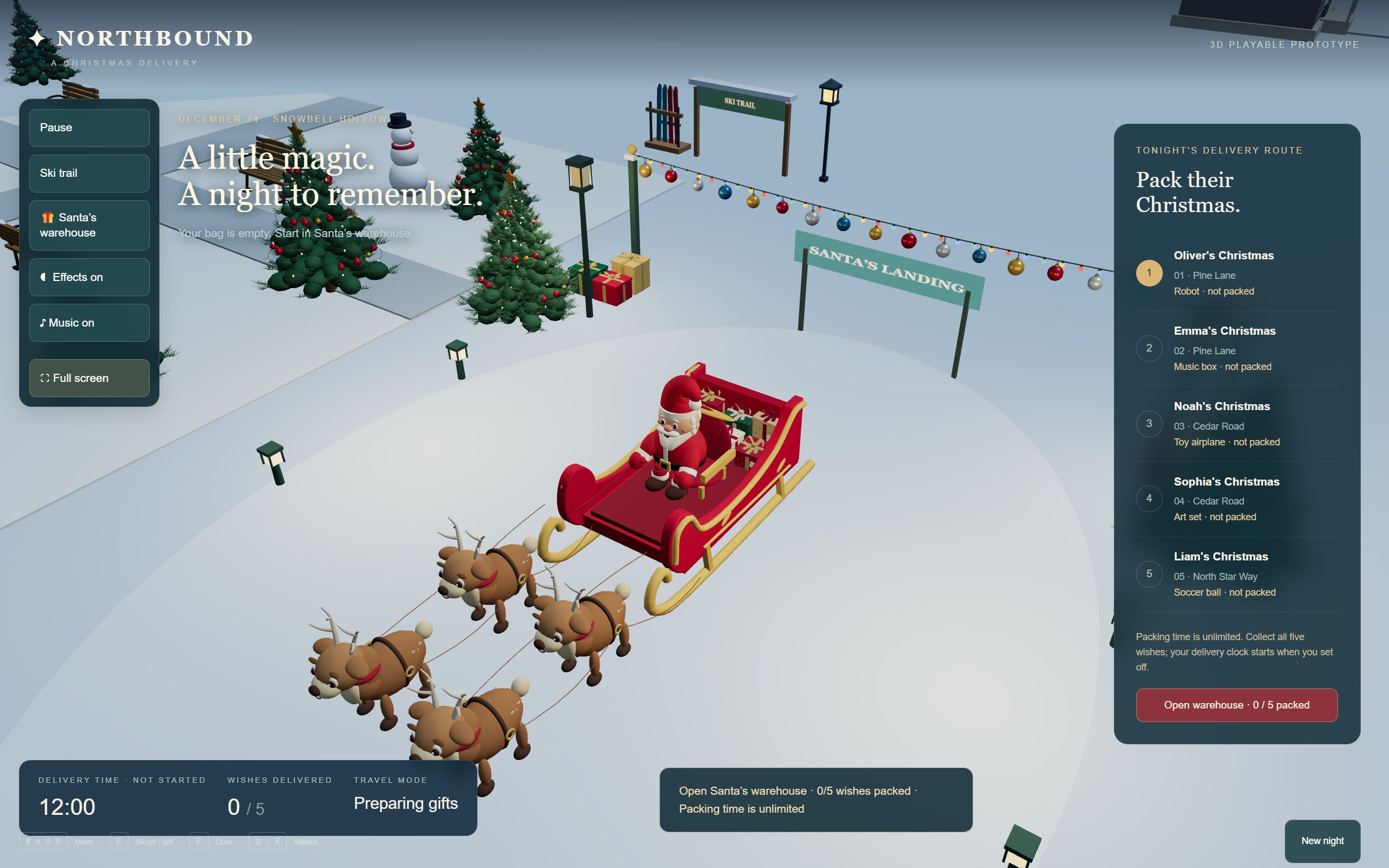
It is a small, optional racing activity inside the Christmas delivery prototype. It offers three courses, gift collection, single-player against Holly and local two-player split screen. It is still being developed and may have rough edges.
Your gifts collected.
A finish line ahead.
How to control your skis in this Santa ski game
Begin with a short push using W, then release it while you practise steering with A and D. Use S or Space to brake before a sharp bend or obstacle. Look beyond the nearest gift box: an early adjustment gives you more room to line up with the next group. You do not need to hold the acceleration key throughout the descent. A steady line is easier to manage than repeated fast corrections across the trail, and collecting enough gifts matters more than arriving first without them.
Click inside the embedded game before using your keyboard, especially after scrolling this guide. On a touch device, use the trail arrows and Brake button for single-player. If a key seems unresponsive, check whether Start race is still waiting for a click, a menu is open or the game is paused. Gift boxes are collected by skiing through them; you do not need an interaction key. After a run, use the results to check your gift total and choose Race again if you want another attempt.
Who is Holly?
Holly is the computer-controlled skier racing Santa in single-player. She is part of your solo game session, so you do not need to invite a friend, create a second account or arrange a multiplayer lobby. She has her own gifts and finish time. Your collected boxes do not remove hers, and her collected boxes do not remove yours. The race compares qualified finishes: both Santa and Holly must meet the same course target to win.
Keep an eye on Holly’s progress without losing track of your own line. Braking slows Santa while the race continues; Pause stops both racers and the clock. For a human opponent, choose the local two-player split-screen race on one keyboard. That mode gives the arrow keys to your friend controlling Holly, while Santa stays on WASD. There is no online multiplayer, matchmaking or leaderboard. Both modes use the same gift targets and finish rules.
Why does the delivery timer pause while skiing?
The twelve-minute limit belongs to the five town deliveries. Skiing is an optional side activity with its own race clock, so entering a race pauses the town clock. The race timer begins after the three-second countdown and measures the run. Racing, practising your controls or choosing another attempt does not use the minutes reserved for the town route. The pause does not award extra town time or complete any of the five household wishes for you.
When you return to town, continue with the time and delivery progress remaining in that session. Check the active address before flying again, particularly if you took the detour halfway through your route. Use the regular Pause control if you step away from the device. Reloading the page or choosing New night is different from returning to town: it begins a fresh attempt rather than preserving the route you were working on.